

AI production is the end-to-end process of producing images, video and films with generative AI models, from writing the script and building the storyboard to the final edit. In 2026, all-in-one AI studios such as Imgentic let a single creator produce work at a level that once required a full production team. This article was last updated in 2026.
- AI production, in the creator context, means producing image and video content with AI. It is not the same as "AI in manufacturing," which still gets mixed into the search results.
- Making a film with AI in 2026 takes 6 steps: script → storyboard → still images → video generation → sound → editing.
- Seedance 2.0 is a text-to-video / image-to-video model and the successor to Seedance 1.0, which ByteDance launched in mid-2025.
- Agentic AI plans and works through multiple steps on its own until it reaches the goal, while Generative AI produces one output per prompt. That difference decides which kind of platform you should pay for.
- Beginners should choose based on workflow, not raw model quality: a brilliant model inside a broken workflow will still burn through your credits.
What Is AI Production? (And Why It Has Nothing to Do with Factories)
AI production is the end-to-end process of producing images, video and films with generative AI models and agentic workflows, from script and storyboard to the final edit. It is a different thing from "AI in manufacturing," which refers to factory automation and still dominates search results for the term "AI production" in 2026.
Try searching "AI production" right now and the first page mixes two completely unrelated worlds. On one side are enterprise pages from SAP and MaibornWolff about predictive maintenance and smart factories; on the other are agencies that make videos. This article focuses only on the creator side: producing films, ads and short clips with AI. The AI video generation market is growing fast, which is why new models come out almost every month and many people don't know where to start.
How Is AI Production Different from Traditional Production?
AI production replaces the shoot, not the creative decisions. A traditional 60-second ad needs a crew, a location, actors, lighting and several days of post-production. An AI pipeline uses text-to-video and image-to-video models in place of the camera, while humans still own the script, the camera angles, the taste and the final approval.
Two things don't change: you still need a good script, and you still need an editor's eye. In the cases we see most often, people who skip the script and just "keep generating" burn all their credits on clips that can't be cut together at all.
The 4 Layers of an AI Production Pipeline: Script, Visuals, Motion and Post
Every AI production pipeline, whether you chain tools together yourself or use an agentic platform, always consists of 4 layers:
- Script layer: The story, dialogue and shot list, written by you or drafted together with an LLM.
- Visual layer: AI storyboards and keyframe stills that lock in the look, style and character references for every scene.
- Motion layer: Text-to-video or image-to-video models (Seedance 2.0, Google Veo, Kling AI, Runway) that bring those frames to life.
- Post layer: AI voice, sound design, music, editing and color grading, until you have a finished film.
Quick summary: Single-model tools only handle the motion layer, while all-in-one studios such as Imgentic give you models for the image, motion and sound layers in one account.
Gen AI, AI Agent and Agentic AI: What's the Difference?
Generative AI produces one output from one prompt. An AI Agent is an AI program that can do one specific job on a person's behalf, such as answering chats or generating images on command. Agentic AI is a system that takes a broad goal, then plans, breaks the work down and directs multiple agents to work in sequence until it is done, for example turning a one-page script into a fully edited video without step-by-step instructions.
What Is Agentic AI? Explained with a Real Filmmaking Example
Agentic AI is an artificial intelligence system that takes a broad goal, then plans, breaks the work into smaller steps, chooses tools and carries out multiple steps in a row until it achieves the goal on its own, with minimal human direction. Most articles explain this as abstract theory, but a filmmaking example makes it much clearer.
You submit a one-page film script, and the agentic system then:
- Reads the script and plans the shot list: camera angles, pacing and scene order.
- Decides which generation model to use for which scene (a dialogue close-up vs. a wide action shot).
- Generates every scene, then checks character consistency so the lead in shot 1 and shot 14 is the same person.
- Assembles the clips, adds sound and sends you an edited cut to review.
You give one instruction and the system makes dozens of decisions for you. That decision loop is what separates Agentic AI from a chatbot that answers one prompt at a time.
AI Agent vs. Agentic AI: Which Does Your Business Actually Need?
An AI Agent does one job at a time, while Agentic AI coordinates multiple agents toward a single goal. If your task is narrow, such as "generate product images from this set of photos," a single AI Agent or single-model tool is enough, and cheaper. But if the goal spans many steps, such as "turn this brief into a finished, ready-to-use 30-second ad," you need an agentic workflow. Otherwise you end up as the coordinator yourself, copying and pasting outputs back and forth across five tools.
Comparison Table: Input, Autonomy, Number of Steps and Best Use
| — | Generative AI | AI Agent | Agentic AI |
|---|---|---|---|
| Input | 1 prompt | 1 task instruction | 1 broad goal |
| Autonomy | None — one response and done | Completes its own single task | Plans, delegates and checks its own work |
| Steps | 1 | 1 task, possibly repeated | Many chained steps until done |
| Best for | A single image or clip | Repetitive tasks (e.g., upscaling) | Producing a film from script to finish |
What Is Imgentic? How All-in-One AI Production Works in Practice
Imgentic is an all-in-one AI studio: one account and one credit balance give access to more than 70 image, video and audio models. You plan the shots, generate the images and video, check character consistency and assemble the piece yourself, but you do not have to jump between several tools or subscriptions to do it.
Details worth confirming before you decide: the supported models, the pricing plans and free tier, and the year the platform launched.
How Is Imgentic Different from Single-Model Tools?
Single-model tools give you one model, while Imgentic gives you more than 70 on one balance. With Runway or Kling AI alone, you plan the shots, write prompts clip by clip, download files and edit elsewhere. On Imgentic you still plan and prompt each shot yourself, but the image, video and audio models are all in the same account.
The trade-off, stated plainly: one studio gives you fewer hand-offs and one bill, while a specialist single tool can give you deeper controls for one model. Some highly particular directors want the latter, but most solo creators and marketers benefit more from the former. Want to see real work? Check the community wall on Imgentic, which shows each piece with its prompt and model, before you sign up for any plan.
Who Is Imgentic Built For? Creators, Marketers and Indie Filmmakers
Imgentic suits people who need "finished, ready-to-use video," not just raw clips. That includes creators who post short clips every day, SME owners who produce their own ads, production freelancers who want to take on more work without hiring a team, and indie filmmakers who want to test scenes before committing a real budget. If you only need a single still image now and then, a simpler tool may be enough; compare the plans with your actual usage at Imgentic pricing and plans.
How Do You Make a Film with AI? 6 Steps to Creating a Film with AI in 2026
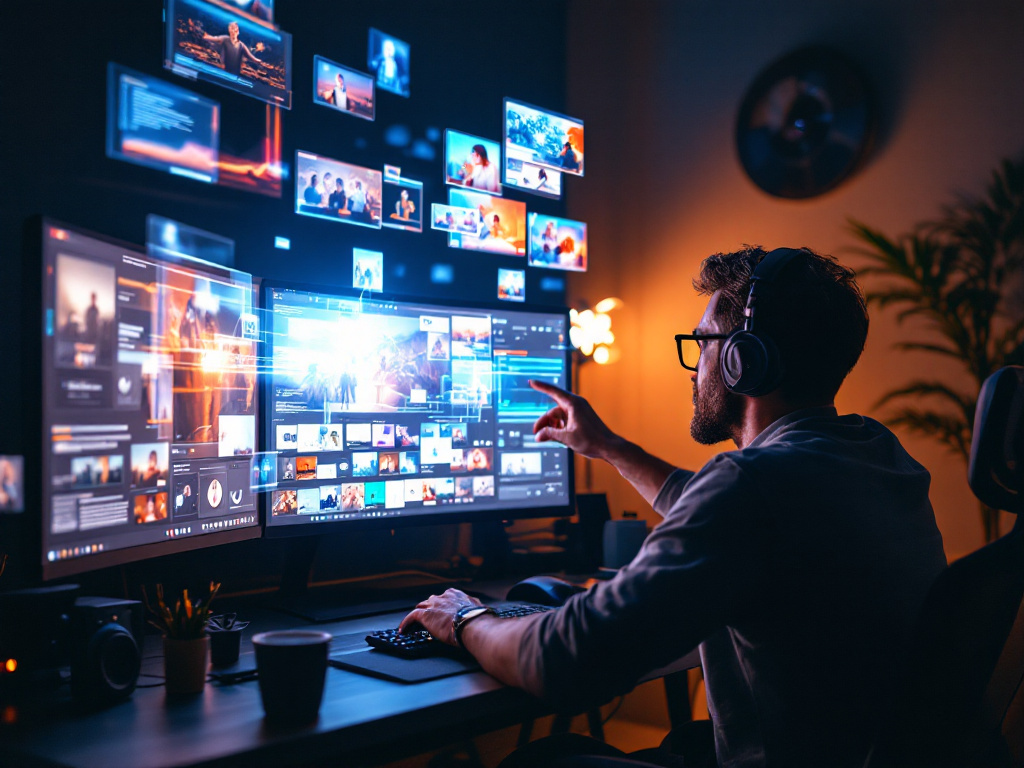
Making a film with AI in 2026 takes 6 steps: write the script → generate the storyboard → create keyframe stills → turn the images into video with a model such as Seedance 2.0 → add AI voice and sound design → edit and color grade. An all-in-one studio lets you do steps 2–6 in one account.
- Write the script and shot list — Define the story, the dialogue and every shot before you generate anything at all.
- Generate an AI storyboard — See a rough version of every shot so you can lock in composition and pacing.
- Create keyframe stills — Generate high-quality reference images of the characters, locations and lighting style.
- Turn images into video (image-to-video) — Feed each still into a video model.
- Add AI voice and sound design — Voiceover for the dialogue, ambient sound and music.
- Edit and color grade — Sequence the clips, match the tone across every scene and export the finished film.
Before you start, estimate the time and budget of a one-minute AI short film and compare it with a live-action shoot.
Steps 1–2: Script and AI Storyboard
The script is the cheapest and most important step in AI production. Every scene you plan on paper costs nothing, but every scene you improvise in a video generator eats credits immediately. Write the story, break it into numbered shots, add camera notes for each shot ("slow push-in, cool dusk light"), and only then generate the storyboard frame by frame. This is where you catch pacing problems before spending a single video credit. For the detailed steps, see a full AI storyboard-to-video tutorial.
Steps 3–4: Stills and Image-to-Video
Image-to-video beats text-to-video for film work because you lock in the image first and animate it second. Perfect the still for each shot, with the right character, wardrobe, location and lighting as written in the script, and only then tell it to move. This two-step approach costs a little more up front but greatly reduces failed video generations, because the model only has to animate an image you have already approved instead of imagining the entire frame from text.
Steps 5–6: AI Voice, Sound Design and the Final Edit
Sound is what makes AI video feel real. Add a voiceover or AI-generated dialogue, then layer ambient sound (room tone, street noise, footsteps) and music. When editing, trim each clip to its best 2–4 seconds, because AI clips are often weak at the start or end of the frame. Then grade every scene to the same color tone, and the film will read as one piece rather than a patchwork of clips.
How to Keep Characters' Faces the Same in Every Scene (Character Consistency)
Character consistency has to be handled before you generate, not fixed afterward. Create 3–5 reference images of each character (front view, profile, different expressions) and lock them in as the image input for every scene in which that character appears, while using exactly the same character description in every prompt. In the cases we see most often, people who generate video before locking their references end up regenerating a large number of shots and blowing their budget. For the full technique, look up a guide on keeping AI characters consistent across scenes.
Recommended Image and Video Platforms: Imgentic, Runway, Kling and Veo Compared, Plus the Seedance 2.0 Model
The best platform for image and video generation depends on your workflow: Imgentic stands out for having 70+ image, video and audio models on one balance, Runway and Kling AI are strong at generating one clip at a time, Google Veo leads on realism, and ByteDance's Seedance 2.0 is a model to watch. Beginners should always weigh workflow ahead of raw model quality.
What Is the Seedance 2.0 Model, and How Is It Different from Seedance 1.0?
Seedance 2.0 is a video generation model that works from text and images (text-to-video / image-to-video), developed by ByteDance as the successor to Seedance 1.0, which launched in mid-2025. Its verified specs, such as resolution, maximum clip length and API pricing, should be checked against ByteDance's official announcements.
What matters to creators isn't the version number but whether you can actually access it: a model is only useful if a platform you already know how to use supports it. Check your platform's model overview for the latest support status.
Platform Comparison Table: Type, Strengths and Who It Suits
| Platform / model | Type | Strengths | Best for |
|---|---|---|---|
| Imgentic | All-in-one AI studio | 70+ image, video and audio models on one credit balance | Creators who make images and video and want one account |
| Runway | Generation tool | Full-featured motion control and editing | People who control each shot themselves |
| Kling AI | Generation tool | Strong motion, good value per clip | Standalone clips for social media |
| Google Veo | Video model | Realism and accurate physics | A photoreal, live-action look |
| Seedance 2.0 | Video model (ByteDance) | — | Cinematic multi-shot scenes |
Check each platform's 2026 starting-plan price on its official site before you compare.
7-Point Checklist Before Paying for Any AI Video Platform
Run the platform you have your eye on through these 7 points before entering your card number:
- Supported models — Does it offer current models (Seedance 2.0, Veo), or is it stuck on last year's versions?
- Character consistency tools — Can you lock character references across scenes?
- Maximum clip length — How many seconds per generation, and can clips be extended into longer shots?
- Commercial rights — Does the plan you pay for clearly allow commercial use of the output?
- Price per credit — Work it out as cost per "usable second," not per press of the generate button.
- Export quality — The resolution and format of the actual file, not just the preview.
- Thai-language support — Can it take Thai prompts, produce Thai voiceovers or put Thai text in the frame?
Tip: Test every platform's free tier with the same three-shot mini-script. Comparing exactly the same input shows real quality differences faster than any review. Start by trying imgentic.ai alongside the tools you already use, then decide based on the actual results.
What Is IMAI? Is IMAI Academy Any Good, and Who Is It For?
IMAI Academy is a Thai AI school that teaches content creation with AI, including making AI clips and videos, and it publishes student reviews after each cohort. It suits beginners who like hands-on, guided teaching, while self-directed learners may move faster with an all-in-one studio plus free content.
A fair note on sources: most of the content about IMAI Academy online comes from the school itself, including class-atmosphere posts and post-cohort reviews. Read it knowing that it is semi-promotional, and check current details directly: the price and course length at IMAI Academy, and student feedback from independent sources.
Learning to Make AI Clips: What Do Typical Courses Teach?
AI clip-making courses in Thailand generally cover prompt engineering, image generation, image-to-video and basic editing. For the specific curriculum topics at IMAI Academy, confirm them with the school. Whichever course you evaluate, check one thing above all: does it teach a repeatable workflow, or only tool-by-tool tricks that expire the moment a model releases a new version?
Taking a Course vs. Learning by Doing on a Platform: Budget and Time Compared
There are 4 ways into AI production, each suited to a different budget and skill level:
| Path | Cost | Time to first finished piece | Best for |
|---|---|---|---|
| Self-study (free content) | Lowest — you only pay for tool credits | Several weeks of trial and error | Disciplined self-learners |
| A course (e.g., IMAI Academy) | — | A few days, with guidance | Beginners who want structure |
| An all-in-one studio (Imgentic) | Credit packs or a subscription | Hours to days — you learn by making real pieces | People who learn by doing real work |
| Hire an agency | Highest per project | Fastest, with nothing to learn | Businesses with budget but no time |
Who Should Take a Class, and Who Should Just Start Making Things?
Take a class if you have never touched generative AI and you learn well with an instructor. A cohort-based class shortens the most confusing first weeks, and you have classmates to ask. But if you are already fluent with ChatGPT or Midjourney, skip the class and start creating in one studio with many models, and your fastest teacher will be the first 10 finished videos you make yourself.
Common AI Production Mistakes (and How to Avoid Them)
The most common AI production mistakes are generating video before locking character reference images, writing short, vague prompts instead of directing at the shot level, overlooking commercial-use rights, burning credits on full-length renders without testing a preview, and skipping sound work in post, which instantly makes even the most beautiful visuals look cheap.
Prompt and Character Consistency Mistakes
- Generating video before locking references — The character's face changes in every scene. Fix: create 3–5 approved reference images and reuse them in every generation.
- Writing a vague one-sentence prompt — "A man walking in the city" gets you generic footage. Fix: direct at the shot level with character, action, camera angle, lighting and mood.
- Changing the character description between prompts — A tiny change in wording changes the output. Fix: save one master description and paste it word for word every time.
Budget, Credit and Licensing Mistakes
- Rendering full-length clips without testing a preview first — a fast way to burn through credits.