
Which AI image generator gives the most realistic results? Midjourney (V7 and later) and Black Forest Labs' Flux.1 produce the most realistic images in 2026, especially for people and skin, while Google's Imagen 4 and OpenAI's GPT-4o image model excel at following complex instructions and rendering legible text. "Most realistic" depends on whether you are creating people, products or edits of existing photos.
- Faces and skin: Midjourney in --style raw mode and Flux.1.1 Pro Ultra are the two names professionals reach for first.
- Text on packaging, signs and UI screens: GPT-4o and Ideogram 3 beat Midjourney and Flux, which still misspell words.
- Editing real photos while keeping a person's face or a product's look intact: Gemini 2.5 Flash Image (nicknamed Nano Banana) and GPT-4o are the most reliable.
- Free, unlimited and private use: Stable Diffusion 3.5 or SDXL running on your own graphics card is still the best value, at the cost of setup time.
- Cost: roughly 10–60 USD per month for paid plans, or 0.04–0.06 USD per image via API (list prices at the time of writing; double-check on each provider's site).
Which AI Image Generator Gives the Most Realistic Results?
Midjourney and Flux.1 produce the most realistic images in 2026 for most jobs, including people, food, interiors and lifestyle shots. Both capture pores, fabric weave and natural light well, cutting down the plastic-smooth skin older models were known for. GPT-4o and Imagen 4 are close behind on realism but pull ahead on following difficult instructions.
Realism isn't a single thing. Some models do beautiful faces but fall apart on hands; some nail product shots but misspell the brand name. That's why the answer above is split by task, and why the rest of this guide compares the leading tools on 5 measurable criteria instead of a single "best" label.
Quick summary: people → Midjourney or Flux · text and layout → GPT-4o or Ideogram · photo editing → Gemini or GPT-4o · free and offline → Stable Diffusion
How Do We Measure the "Realism" of AI Images?
A realistic AI image is one that an ordinary viewer can't tell apart from a camera photo at normal viewing size. In practice, people judge 5 things: skin and material texture, consistency of light and shadow, anatomy (hands, teeth, eyes), legibility of text, and the physical plausibility of the scene. Models that score highly on all 5 are still rare in 2026.
The 5 Criteria Explained
- Texture covers pores, fabric weave, the sheen on food and signs of wear. Overly smooth skin is the very first giveaway.
- Lighting checks that shadows fall in the same direction and reflections match the light source.
- Anatomy means counting fingers, checking the line of the teeth, and looking for mismatched eyes or melting ears.
- Text measures whether words on signs, labels and screens are spelled correctly.
- Plausibility asks whether objects interact correctly, such as a glass actually resting on the table rather than floating.
In cases we see often, teams that skip criterion 3 (anatomy) end up reshooting a campaign after the client spots a six-fingered hand in print. Always zoom to 200% before you approve.
Head to Head: The Top Realistic AI Image Generators
The comparison table below ranks the 7 AI image generators most often tested for realism in 2026. The ratings reflect typical output on default settings, not cherry-picked showcase images. None of them tops every column, which is why many studios pay for 2 tools instead of 1.
| Tool | Strongest at | Weakest at | Where to use it |
|---|---|---|---|
| Midjourney (V7+) | People, mood, lighting | Text, precise layout | Web app, Discord |
| Flux.1.1 Pro / Ultra | Skin texture, up to 4MP | Text, editing | API, partner apps |
| GPT-4o image (ChatGPT) | Text, instructions, editing | Speed, overly warm tones | ChatGPT, API |
| Imagen 4 (Gemini) | Instruction following, 2K images | Stylistic range | Gemini, ImageFX, Vertex |
| Gemini 2.5 Flash Image | Character consistency, editing | Raw creativity | Gemini app, AI Studio |
| Ideogram 3 | Lettering, posters | Complex scenes | Web app, API |
| Stable Diffusion 3.5 / SDXL | Control, cost, privacy | Setup, default output | Your own machine, ComfyUI, cloud |
A word of caution: model versions change every few months, so test results from mid-2025 may not match the model you get today. Always check the version number in the app before comparing results.
Which AI Image Generator Is Best for Each Task?
The best AI image generator for realism changes with the subject. Faces suit Midjourney and Flux. Products and packaging suit GPT-4o and Ideogram, because the text has to be right. Interiors and architecture are a close call between Imagen 4 and Midjourney, and for retouching real photos, choose Gemini, which keeps the original face intact.
Realistic People and Portraits
Midjourney in --style raw mode with a low --stylize value (25–100) produces the most camera-like portraits. Flux.1.1 Pro Ultra competes on both skin and hair detail and has its own raw mode. Both still struggle with groups of more than 4 people, where faces in the background start to blur or repeat.
Product and E-Commerce Images
GPT-4o is the safest choice when labels, logos or ingredient lists must be legible. Upload a photo of the real product, describe the scene, and the model places it with the text intact. Midjourney lights things more beautifully but often invents gibberish lettering, so many Thai online sellers build the scene in Midjourney and then composite the real product in Photoshop.
Interiors, Architecture and Real Estate
Imagen 4 follows dimensions and materials ("oak floors, 3-meter ceilings, north-facing windows") more faithfully than Midjourney, which helps with architectural work. Midjourney wins when you need a mood board rather than a spec. Both handle glass reflections better than Stable Diffusion on default settings.
Editing and Retouching Real Photos
Gemini 2.5 Flash Image (nicknamed Nano Banana) and GPT-4o lead on editing: changing outfits, swapping backgrounds or removing objects while the person's face stays the same. This "identity preservation" was the biggest realism gap in 2024, and it is now almost fully solved for single-person images.
Free and Offline Image Generation
Stable Diffusion 3.5 and community SDXL checkpoints (Juggernaut XL, RealVisXL) run for free on a PC with a graphics card that has at least 8 GB of VRAM. Default quality trails Midjourney, but with good checkpoints plus ControlNet and upscaling, hobbyists can reach comparable realism. Allow roughly 2–5 hours to set up ComfyUI.
Where Every AI Image Generator Still Fails
Every AI image generator, Midjourney and Flux included, still repeatedly fails at hands in complex poses, long passages of text, reflections in mirrors, musical instruments and crowds. Knowing these failure points saves more time than switching tools, because you can plan images around them or budget for manual fixes.
- Hands and fingers improved noticeably in 2025, but interlaced fingers, gripping thin objects and playing instruments still break.
- Text longer than 5–6 words gets garbled in every model except GPT-4o and Ideogram, and even those two slip on paragraph-length text.
- Mirrors and reflections often show a different pose, or the person disappears entirely.
- Physics goes wrong with liquids, ropes and stacked objects.
- Brand accuracy is poor: real logos get blocked or distorted, and specific car or phone models come out generic.
A common mistake: marketing teams approve images at thumbnail size, then discover a warped wristwatch and a floating chair once the file goes onto a 2-meter banner. Always check at full resolution.
How Do You Write Prompts for More Realistic Images?
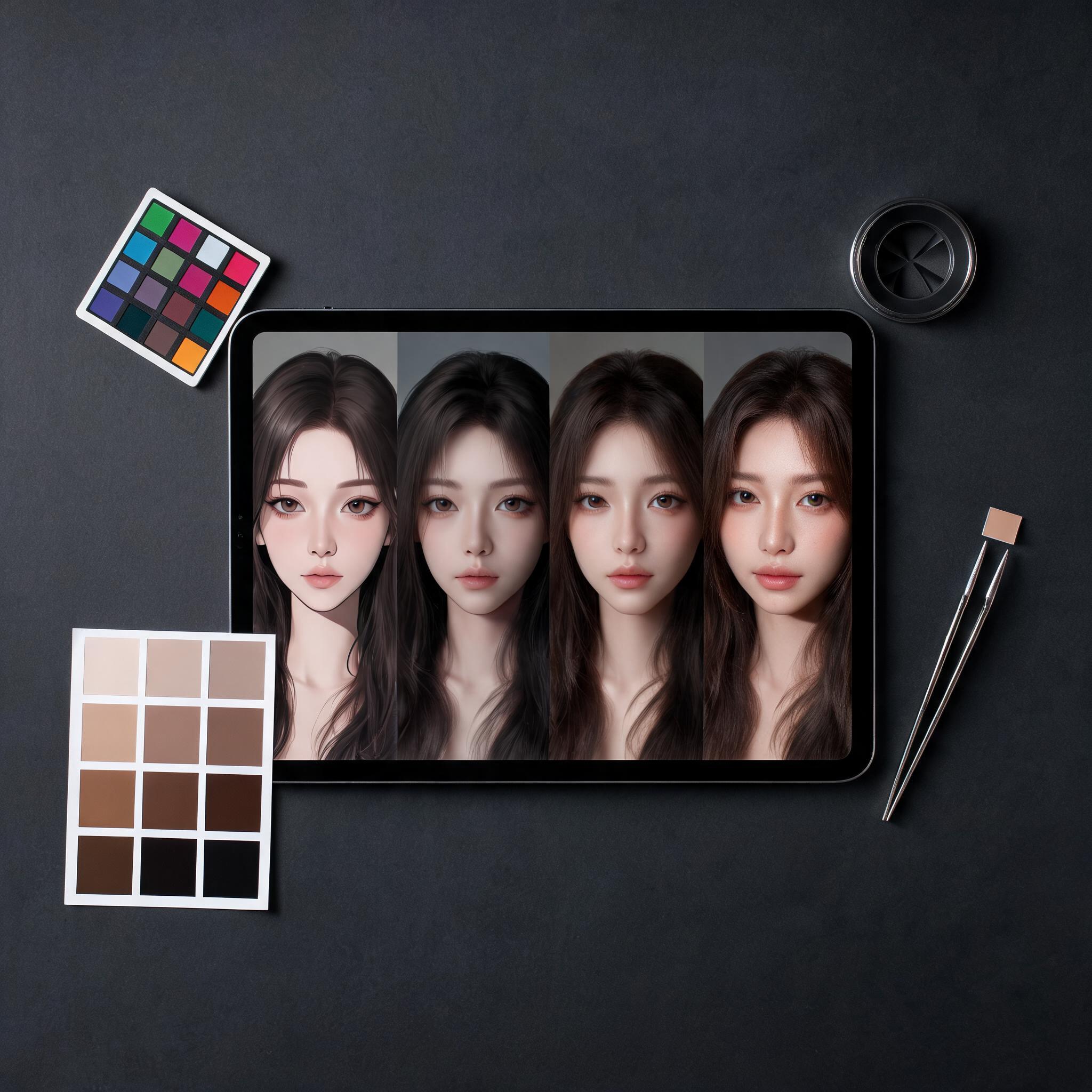
Writing prompts for realism means describing a photograph, not a painting: specify the camera or lens, the light source, the time of day and at least one imperfection. A prompt like "35mm photo, overcast daylight, slight motion blur, natural pose" beats "realistic, 8K, ultra-detailed" in every model tested, because the latter phrases are tied to heavily stylized renders.
A Reusable Prompt Structure
- State the subject and action in plain words: "a 40-year-old woman pouring coffee"
- Add the setting and time: "a small kitchen in the early morning"
- Specify the camera language: "shot on a 50mm lens, shallow depth of field"
- Describe the light: "soft window light from the left"
- Add one imperfection: "a few stray hairs, faint wisps of steam"
- Set the model to raw or photo mode, then generate 4 variations.
Tip: negative instructions ("no extra fingers") barely work in Midjourney or GPT-4o. Instead, describe the hands doing something simple, such as resting on a table, or crop them out of the frame.
To dig deeper into the parameters, see the guide to Midjourney's raw mode and stylize values.
A Thai Platform: Imgentic Studio and Local Options
Imgentic Studio (imgentic.ai) is a Thai-built AI image and video platform that brings several models together on one screen and one bill, aimed at creators in Thailand who want Thai-language support and local payment options. It sits alongside the global tools rather than replacing them, because realism depends on which model you choose within the platform.
Searches about Imgentic often show up alongside reviews of Thai AI courses (such as the "IMAI review"), reflecting a Thai market that is learning these tools to take on freelance and agency work. Before choosing an all-in-one, multi-model platform, ask yourself 3 questions:
- Which models are actually available, and are they the current versions?
- What does a typical month of use cost in your currency, and is there a free plan?
- Who owns the output, and is it cleared for commercial use?
The advantages of a Thai platform are help writing prompts in Thai, payment via PromptPay or local cards, and a single login for both images and video. The downsides: it may lag behind the very latest model releases, and there is less community documentation than for Midjourney or ComfyUI. Test your real work prompts on 2–3 tools before deciding. If you want to start experimenting, open Imgentic Studio and run the same prompt to compare results.
How Much Does a Realistic AI Image Generator Cost in 2026?
A realistic AI image generator costs roughly 10–60 USD per month for most everyday users in 2026, or a few cents per image via API. Gemini, ChatGPT and Ideogram have free plans, but with daily limits and slower queues. The figures below are list prices at the time of writing; double-check them on each provider's site.
| Tool | Entry paid plan | Free option | Notes |
|---|---|---|---|
| Midjourney | 10 USD/mo (Basic), 30 USD Standard | None | Pro 60 USD, Mega 120 USD |
| ChatGPT (GPT-4o image) | 20 USD/mo (Plus) | Yes, limited | Slower on the free plan |
| Gemini (Imagen 4 / Flash Image) | 19.99 USD/mo (Google AI Pro) | Yes, limited | SynthID watermark |
| Flux.1.1 Pro / Ultra | ~0.04–0.06 USD per image (API) | Via partner apps | Pay as you go |
| Adobe Firefly | — | Yes, limited | Trained on commercially safe data |
| Stable Diffusion | 0 USD (your own graphics card) | Yes | Hardware and time costs apply |
Is a paid plan worth it? If you create more than about 50 images a week, yes, because queue times and resolution limits on free plans cost you more in time than the subscription does. If you only generate images occasionally, the free plans from Gemini and ChatGPT are enough to test realism before you pay.
Common Mistakes When Chasing Realism
The most common mistakes in realistic AI imagery are choosing a tool because of hype rather than the job, stacking buzzwords like "8K ultra-realistic," approving images at small sizes, ignoring copyright, and failing to disclose that an image is AI-generated. Each one costs money or reputation, and a short checklist avoids them all.
- Test your own 3 hardest prompts on 2 tools before subscribing. Don't trust the showcase gallery.
- Remove "masterpiece, 8K, trending" from your prompts; these words push the model toward a digital-art look.
- Check hands, eyes, text and reflections at 100–200% zoom before delivery.
- Read the commercial-use terms. Midjourney and Firefly grant broad rights, but some free plans don't.
- Label images as AI-generated where the law or the platform requires it, and keep the original prompt in case the client asks.
- Avoid creating likenesses of real people without their consent. Most tools block it, and the legal risk is real, in Thailand and abroad.
If you plan to sell AI-generated images, read the summary of commercial copyright for AI images before you send your first invoice.
Frequently Asked Questions (FAQ)
Which AI image generator is most realistic for faces?
Midjourney in raw mode and Flux.1.1 Pro Ultra produce the most realistic faces in 2026, thanks to their skin texture and natural lighting. GPT-4o and Imagen 4 are close behind and follow instructions better. If you need to edit a photo of the same person, Gemini 2.5 Flash Image keeps facial identity the most consistent.
Is Midjourney or DALL·E more realistic?
Midjourney is more realistic than DALL·E 3 for photographic scenes and portraits. OpenAI's newer GPT-4o image model, which replaced DALL·E 3 in ChatGPT, narrows the gap and beats Midjourney on text and layout. Choose Midjourney for mood and people; choose GPT-4o for products, signage and precise edits.
Can you create realistic AI images for free?
Yes. Gemini, ChatGPT and Ideogram have limited free plans, and Stable Diffusion runs for free on a PC with a graphics card that has around 8 GB of VRAM. Free plans limit the number of images per day and the resolution. For professional volumes, a 10–30 USD monthly plan usually pays for itself in saved waiting time.
Why do AI images still sometimes look fake?
AI images look fake mostly because of overly smooth skin, inconsistent lighting, wrong hands, garbled text and impossible physics. Writing prompts in camera language, adding a slight imperfection and checking at full zoom removes nearly all of the obvious giveaways.
Is Imgentic Studio good for realistic images?
Imgentic Studio is a Thai all-in-one AI image and video platform. Realism depends on which model you choose in the app, and it is convenient for Thai-language support and local payments. Test your prompts against Midjourney or GPT-4o before deciding.
Can people detect realistic AI images?
Sometimes. Images from Google carry an invisible SynthID watermark, and OpenAI and Adobe attach C2PA content credentials, so platforms can flag them. Visually, trained reviewers can spot AI images from the hands, text and reflections, but ordinary viewers on social media often can't tell the difference, which is why AI disclosure rules tightened in 2026.
Note: this article was last updated in 2026. Prices and model versions change often, so please check pricing and commercial-use terms on each provider's website before buying or using images in real work. For copyright and the use of people's likenesses, consult a legal professional when needed.